

Resetting the Hormann Supramatic Series 2 Operator
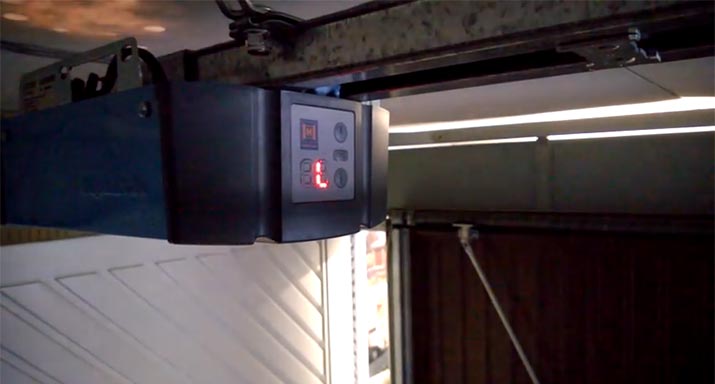
Please note: Make sure the emergency release is not engaged and the door is set to work automatically.
1. Turn on the mains power supply to the unit while holding down the ‘PRG’ button. Keep the ‘PRG’ button pressed untill the screen shows ‘C’.
2. Release the ‘PRG’ button and the display briefly shows ‘J’ then a slowly flashing ‘0.’.
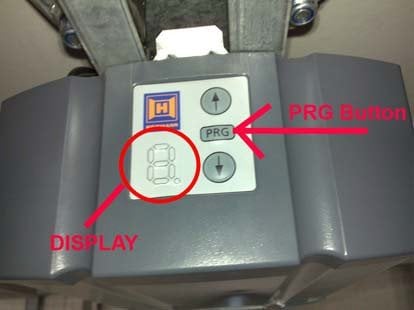
3. Use the up and down arrows to change the ‘0.’ to a ‘1’ – this selects the ‘up and over’ mode.
4. Hold down the ‘PRG’ button, the display changes to a solid ‘J’ then to a flashing ‘1’ – you can now release the ‘PRG’ button.
5. Hold down the ‘PRG’ button, the display should change from a flashing ‘1’ to a flashing ‘1.’ (note the ‘.’ in the bottom right).
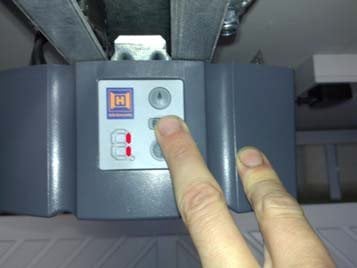
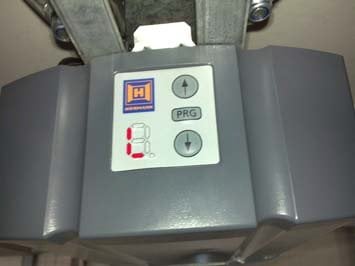
8. Press the ‘DOWN’ arrow button. The door will fully close, then will automatically move back to the fully open position.
9. Press the ‘DOWN’ arrow button. The door will move to the closed position and back up to the open position automatically. It will then automatically move to the closed and open position one more time.
The display should now show a single red line at the top of the display to indicate it is in the open position.
The Operator is now fully reset.
How to remove all remote memory and program the remote again?
The instructions to wipe all the remotes and also code transmitters back in. Please note, these are for the series 2 Supramatic:
1. Press and hold the ‘PRG’ button.
2. After a few seconds the display should show a ‘1’ then a flashing ‘L’
3. You can now release the ‘PRG’ button.
4. Press and release the ‘PRG’ button once –the display should show a ‘P’ then a flashing ‘0’
5. Press and hold the ‘PRG’ button until the small ‘dot’ at the bottom right of the display also starts flashing, then release the ‘PRG’ button.
6. Press and hold both the up and down arrow buttons until the ‘0.’ On the display reverts back to just the ‘0’ flashing without the dot illuminated.
7. Press and release the ‘PRG’ twice until the display shows ‘0’ ‐ after a few seconds the display will exit the program mode.
The unit has now been erased and will need a new hand transmitter coding in to operate the motor.
To code a new hand transmitter into the Supramatic head unit:
1. Press and hold the ‘PRG’ button.
2. After a few seconds the display should show a ‘1’ then a flashing ‘L’
3. You can now release the ‘PRG’ button.
4. Press and release the ‘PRG’ button once –the display should show a ‘P’ then a flashing ‘0’
5. Press and hold the ‘PRG’ button until the small ‘dot’ at the bottom right of the display also starts flashing, then release the ‘PRG’ button.
6. Press and hold the button on the hand transmitter you want to code in to the head unit
7. The ‘0.’ On the display will start to flash quickly then revert back to just the ‘0’ flashing slowly without the dot illuminated. You can now release the button on the hand control.
8. Press and release the ‘PRG’ twice until the display shows ‘0’ ‐ after a few seconds the display will exit the program mode.
I have run the above procedure and the fob is only bringing the door part way up and not fully closing. The arrows on the machine make it go up and down
It sounds like you have the hand transmitter coded in to the ‘partial open’ setting. It may be worth wiping all the hand transmitters from the Supramatic and coding back in. If you have a series 2 model, the videos on how to do this are on our youtube channel.
https://www.youtube.com/watch?v=DJ-ATXd-sno
https://www.youtube.com/watch?v=EnlsRvfOgII
Hormann Supramatic 2 unit will only open and close when the up and down arrow buttons on unit are constantly pressed until fully open or closed. Additionally it is not recognising the key fob. Any ideas on how to resolve please?
These units do not have a ‘hold to run’ setting. It may do this if the operator has not been set up. I would recommend running through the reset procedure, and then reconnecting the fobs. Failing that, it may be that the unit has failed.
I have a Supramatic E3 and it stopped working.
I opened the garage door manually and I saw on the display a red letter S and a red point blinking to the right of letter.
Is there any solution or should I replace the unit?
It seems like the unit is displaying error ‘5.’ – this usually relates to an obstacle in the open travel direction. Does the door move smoothly when it is operating manually? Sometimes it could be a failed spring or fault in the rollers. If manual operation appears ok it could be worth connecting the boom to automatic and completing a reset of the limits.
https://abigaragedoors.co.uk/resetting-the-hormann-bisecur-supramatic-series-3-operator/